 Emsisoft

Better cybersecurity for small and midsize businesses
It’s tougher than ever to keep your business safe and secure. The threats are more advanced and the solutions to combat them are more complex and harder to manage. We’re here to help. Our easy-to-use cybersecurity solutions make protecting your business simpler and less expensive.
Remediating existing threats on your devices
Strong security for SMB starts with a clean foundation – that’s why we combined two powerful antivirus engines into one lightning-fast scanner that finds and cleans malware and unwanted programs. Designed by our lab to be as efficient as possible with your hardware resources, our scanner allows you to detect more malware in less time.
Highlights
- Award-winning threat detection
- High performance
- Dual-engine technology
- Advanced smart cleaning
Plus, you can always talk to our certified removal experts for personal, straight-talking assistance with any specific threats you run into.
Layered endpoint- and cloud-based protection
Web Protection
& Browser Security
Blocks your connection to malicious websites while fully respecting your right to privacy. Browse with confidence knowing you’re fully protected from malware hosts and phishing scams.
500,000
new threats
every day
Real-time File Guard
Provides comprehensive real-time protection against all types of malware. File Guard checks all downloaded and modified files using our AI-supported dual-engine scanner.
Behavior Blocker
Continuously monitors the behavior of all active processes. If the Behavior Blocker notices anything suspicious, it steps in and raises the alert.
Anti-Ransomware
Stops ransomware before it has the chance to encrypt your precious data.

You’re safe!
Next level cybersecurity management

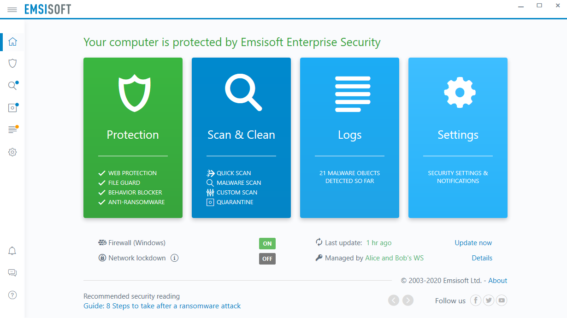
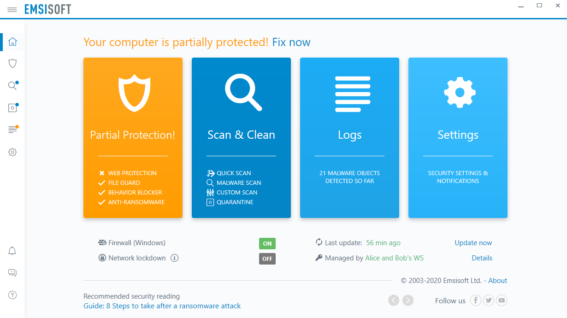
Protected Windows device
Security management has never been easier. Originally built for managed service providers (MSPs), our business-grade security solutions are now available for everyone.
The Emsisoft Management Console puts you firmly in control. Secure your devices, protect your users, resolve issues on the fly and become the security hero you were always destined to be.

the best for remote management
from PCMag

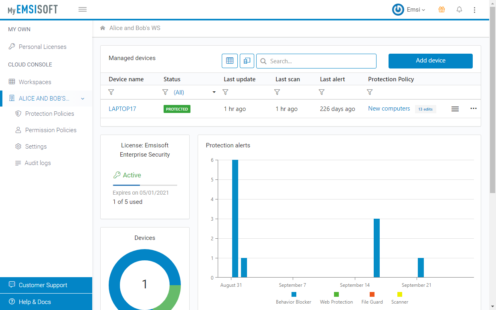
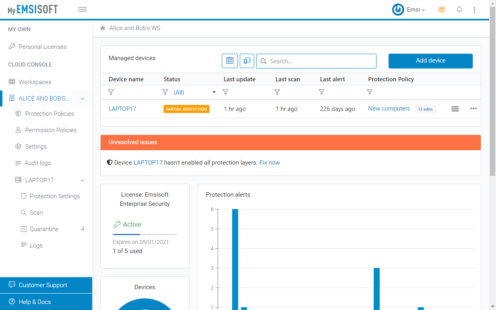
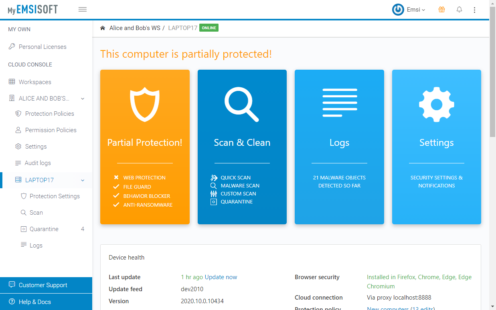
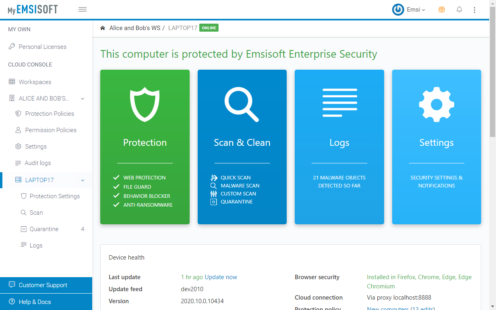
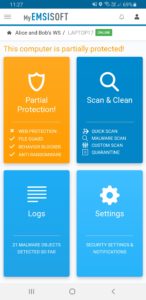
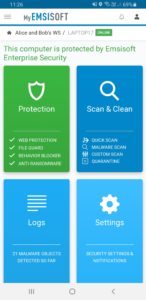
Remote management console & app
Security, built for MSPs and VARs
30 days free
on as many endpoints and servers as you want.
22+ years delivering top-notch tech, service and ethics
No fobbing off. No excuses
I am amazed at how you all at Emsisoft react to correspondence so quickly. No fobbing off, no excuses, you do as you say.
– Bernd Kalup, on Trustpilot
Head and shoulders above
Emsisoft stands heads and shoulders above many other companies, of any kind, when it comes to the quality of their product and their customer service.
– Josef Vykydal, on Trustpilot
You nailed every detail
One word: wow! Not only did I receive a response to my issue quickly, you nailed every single detail in your accurate diagnosis.
– Nicholas Amaryll, on Trustpilot
Emsisoft
Reviews 55 Excellent
 4.3
4.3 trustpilot.com Jun 2026



Your world-class security solution awaits
Choose from a range of powerful security solutions.
We combine security expertise with friendly, personalized service that keeps
your needs front and centre.

Protection for your home devices
Award-winning antivirus/anti-malware for your home devices, so you and your family can get on with everyday life.

Protection for your business
Multi-layered protection for your office workstations, servers and remote workers, so you can focus on taking care of business.

Console for managed security providers
The most time-efficient security management tools and support for your home and business customers, so we can keep on growing together.
Security knowledge is power


Why Emsisoft?

No interruptions
Over-complicated software can slow you down. We’ve designed ours to be unobtrusive and light on its feet, so you can get on with your life.

World-class expertise
We’re proud to have the world’s top security and ransomware experts on board. Together, we build security solutions that offer maximum protection.

Awarded and trusted
You’re in good company. Millions of people around the world trust our award-winning solutions to protect their families, businesses and customers.

Save time & money
We save you time and money each month by making things fast and easy. And if it turns out we’re not a good fit within the first 30 days, we’ll give you your money back.

Customer service
We’re big into doing the right thing by our customers. That means acting ethically, respecting your privacy and always acting in your best interests.

Constantly updated
Malware is constantly evolving – and so are we. We deliver monthly releases and hourly detection updates to protect you from the latest cyberthreats.
See our video tutorials
Emsisoft Endpoint Protection


Emsisoft Management Console


Endpoint Detection & Response

