 Emsisoft
Emsisoft Anti-Malware for macOS stable release

After months of testing, feedback, and refinement, Emsisoft Anti-Malware for macOS is now officially available in a stable release. This release brings several performance improvements and tweaks.
Reminder: How it works
The macOS agent is available across all editions: Emsisoft Business Security, Emsisoft Enterprise Security + EDR, and Emsisoft Anti-Malware Home.
There’s no separate Mac license, your workspace works the same across all operating systems. You can deploy agents on both Windows and macOS using available seats. Management remains unified across platforms, with one key difference: on macOS, only remote management mode is currently supported.
Most core features from Windows are already included, though some macOS-specific limitations still apply. For a full breakdown, see the Emsisoft Pricing & Features page.
A note on technical aspects
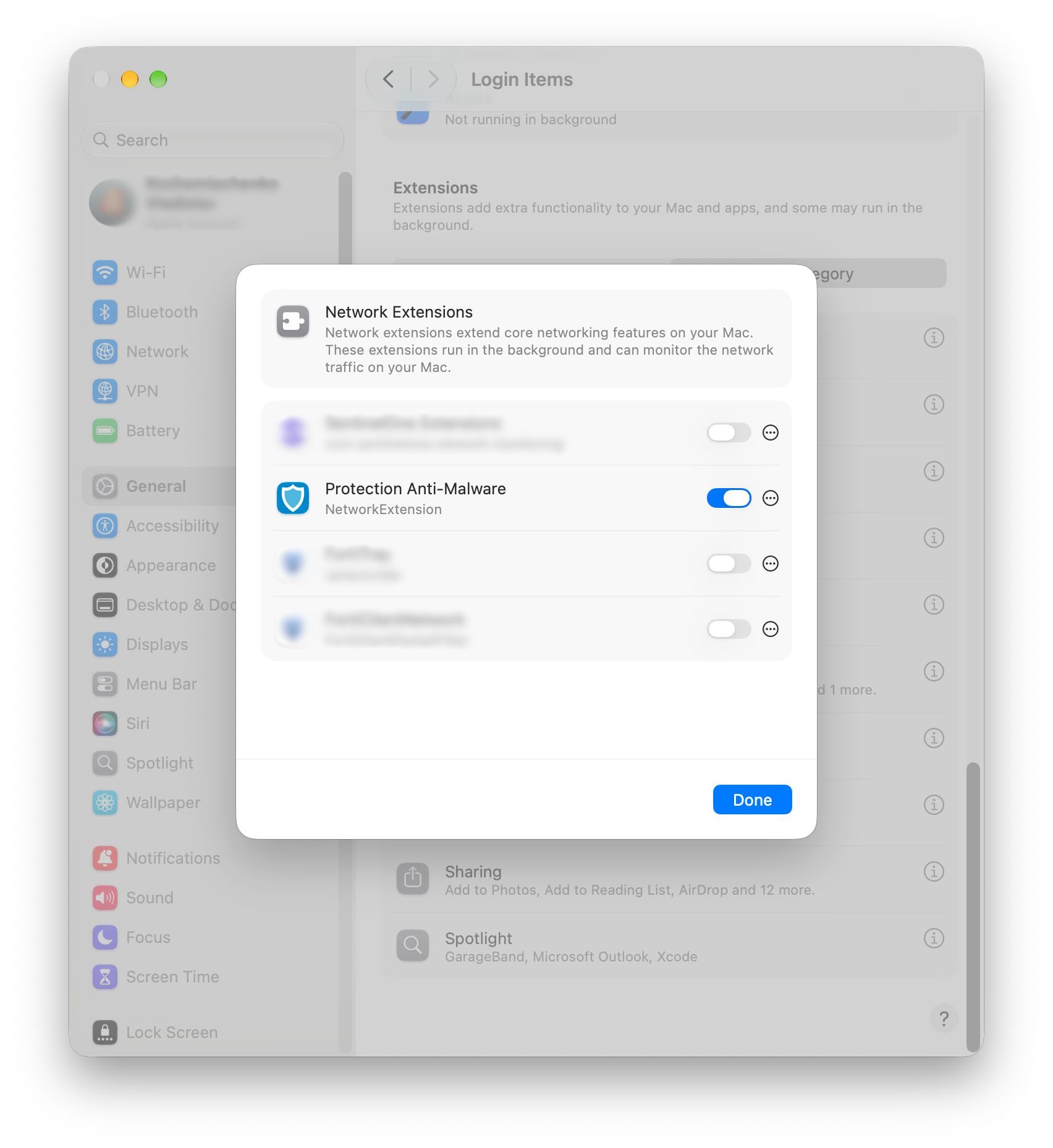
Installation requirements:
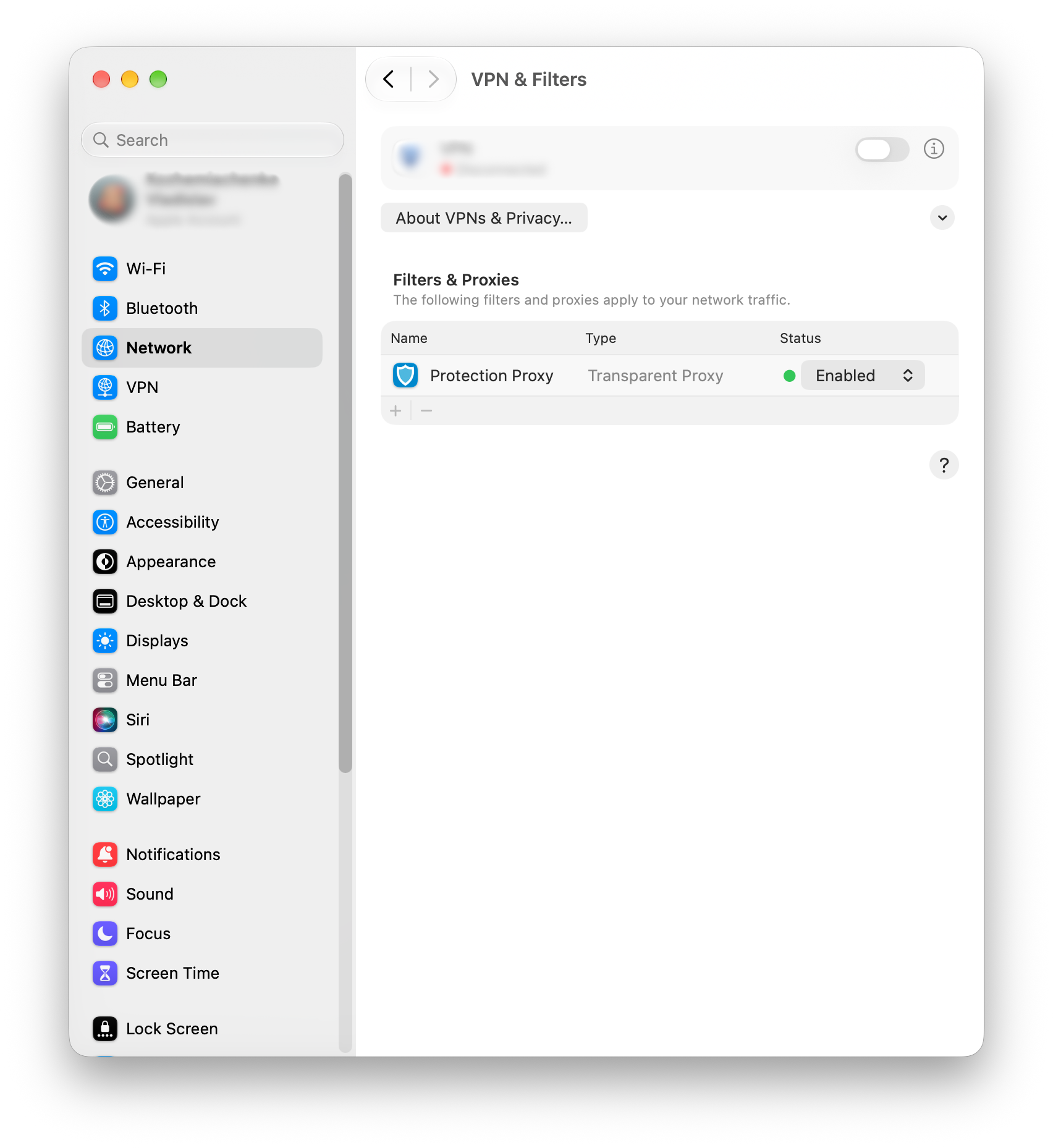
Web protection: Go to Settings → Network →VPN & Filters , enable Protection Proxy.
File Guard: In Settings → Privacy & Security → , re-enable Full Disk Access for both the app and the protection service.
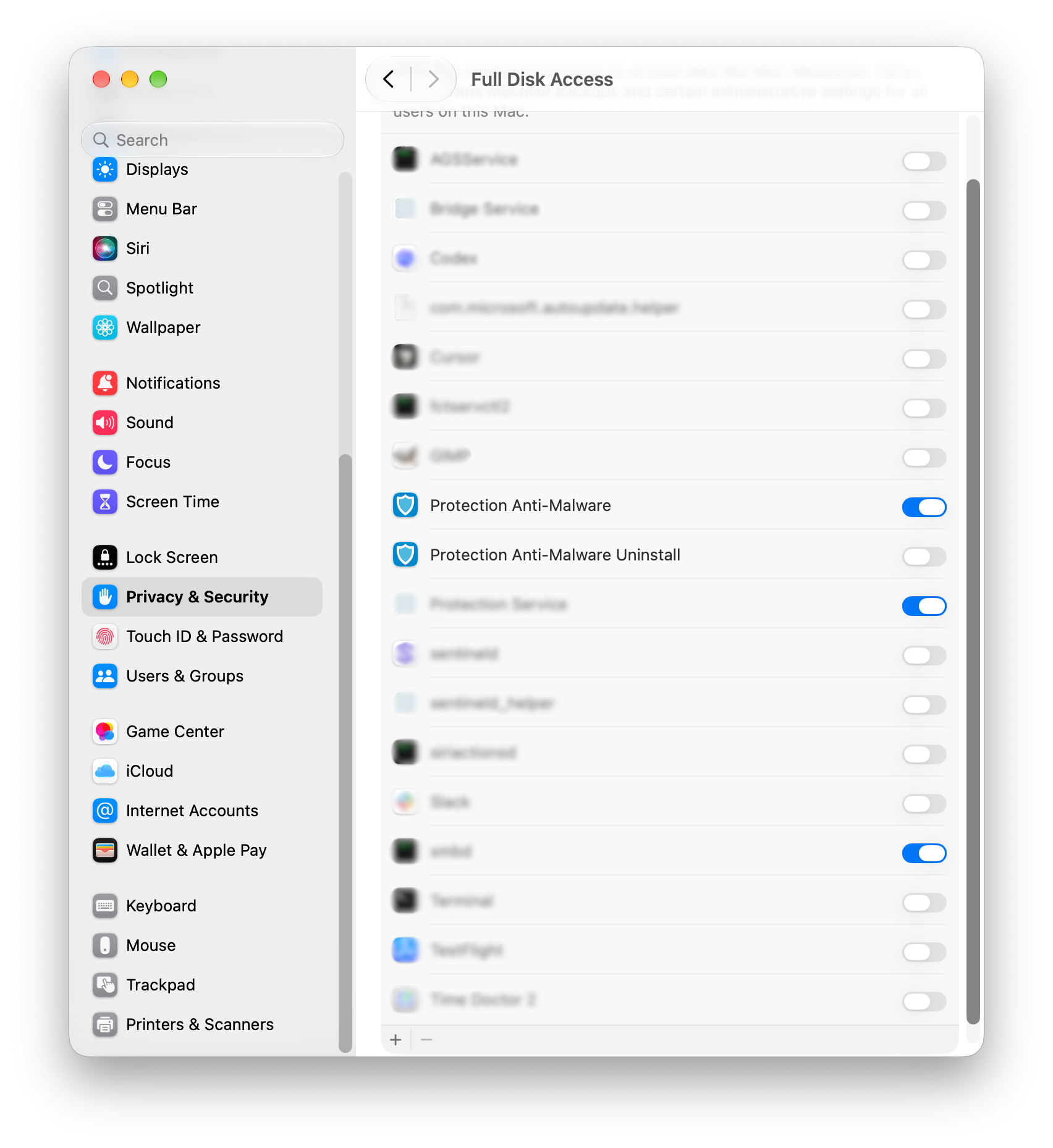
Full Disk Access must include the Protection Service, as shown on the screen. The Protection Anti-Malware UI application automatically detects whether the required services are enabled. If any of these services are disabled, the application will display a warning.
We want your feedback
Your feedback played a critical role in getting us from beta to this stable release and it remains just as important moving forward. If you encounter any issues or have suggestions, we encourage you to share them with us.
Emsisoft Endpoint Protection: Award-Winning Security Made Simple
Experience effortless next-gen technology. Start Free TrialHave a great and well-protected day!